> ## Documentation Index
> Fetch the complete documentation index at: https://docs.zerotwo.ai/llms.txt
> Use this file to discover all available pages before exploring further.
# Long-running work
For work that may take many steps, give ZeroTwo a clear outcome, constraints,
and definition of done. Keep related work in the same chat so
ZeroTwo can use the same context to choose the next step and decide when the
work is complete.
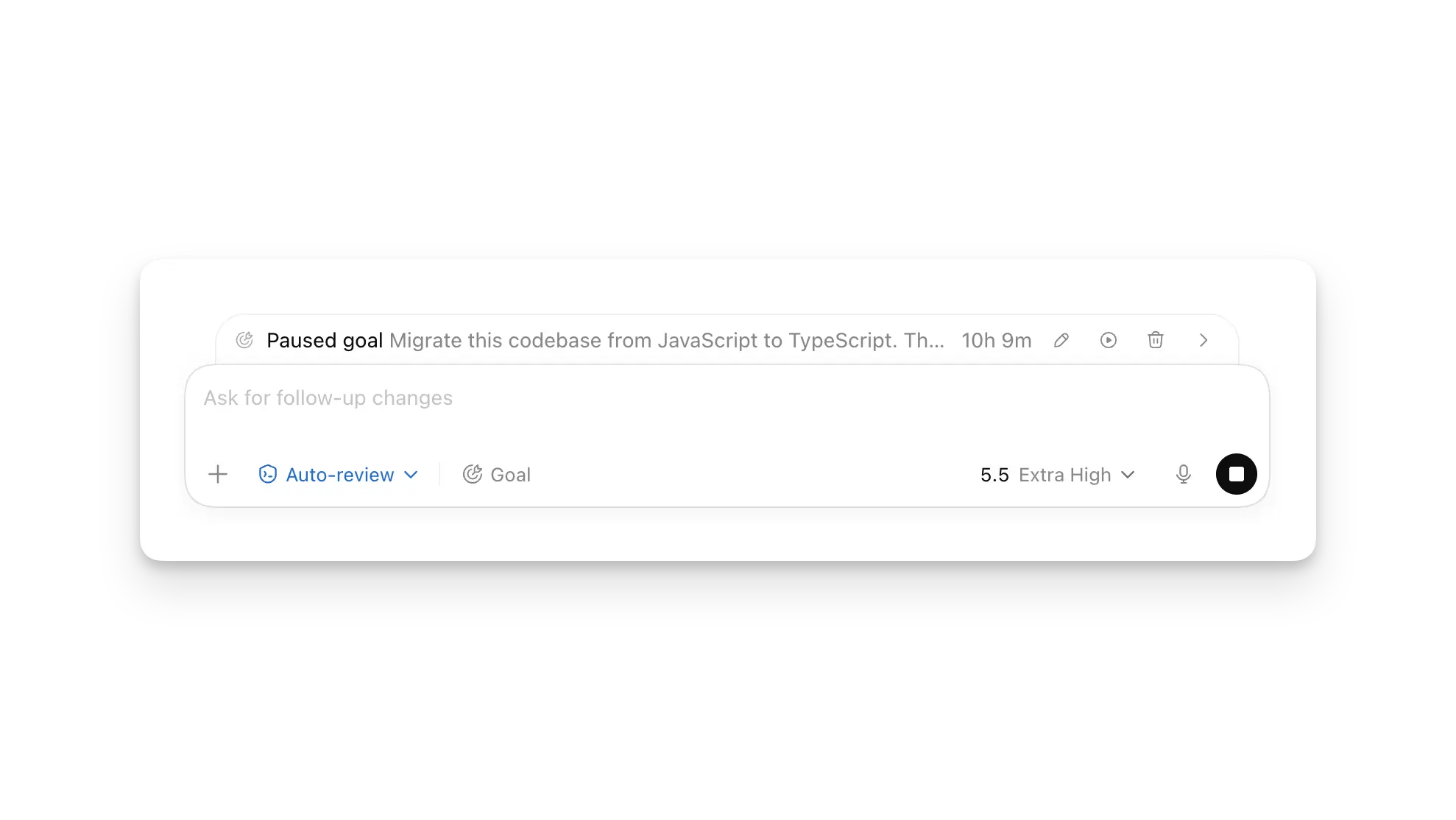
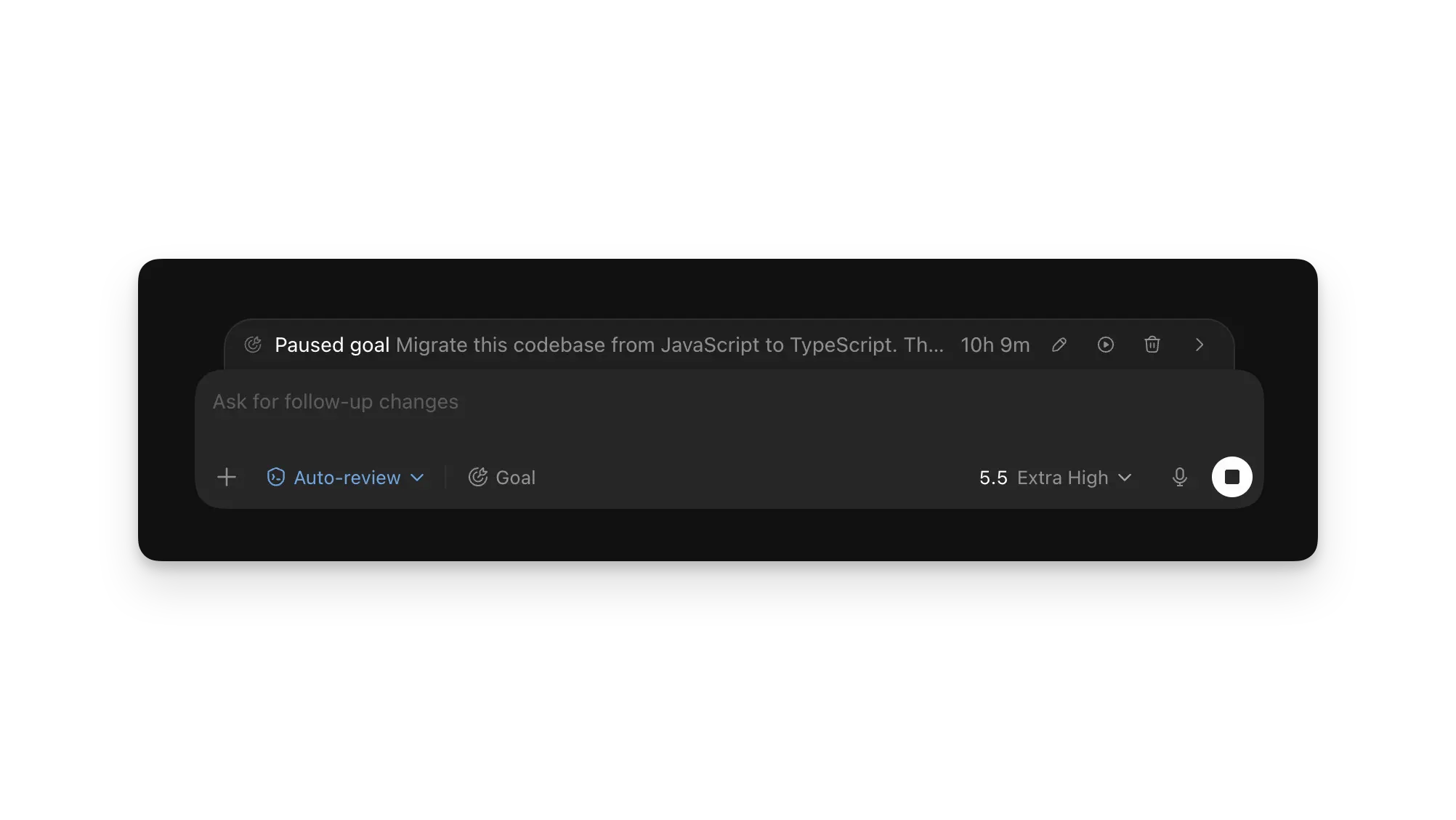
In the ZeroTwo desktop app, enter `/goal` to start Goal mode. The progress row
lets you pause, resume, edit, or clear the goal while ZeroTwo works.
For hosted long-running work in ZeroTwo web, use ZeroTwo Work and put the
outcome, constraints, and review criteria directly in your prompt.
Continue in the same web chat to add context, change constraints, or
ask for a status update. Use separate chats when independent tasks can run in
parallel, and avoid giving two tasks write access to the same connected source.
For related work, keep the chats and source files together in a
[project](/projects).
In an interactive ZeroTwo desktop app session, enter `/goal` to start Goal mode. Continue
the same session to steer the work or ask for a status update.
In the desktop app chat, enter `/goal` to start Goal mode for the open
workspace. Continue the same chat to steer the task while it runs.
 ## Start a goal
Type `/goal` in the ZeroTwo desktop app, or the desktop app. The
goal text becomes both the first prompt and the completion criteria for the
task.
If the outcome is still unclear, start with `/plan`. Ask ZeroTwo to interview you,
identify constraints, and turn the result into a goal with measurable success
criteria. Then start the refined goal with `/goal`.
## Define what done means
Write a goal that lets ZeroTwo verify its own progress. Include three things when
they apply:
| Goal element | What to include |
| ---------------- | ----------------------------------------------------------------------------- |
| **Outcome** | Describe the result you want, not only the activity ZeroTwo should perform. |
| **Constraints** | Name required tools, boundaries, compatibility needs, or approaches to avoid. |
| **Verification** | Add tests, measurements, or review criteria that prove the work is complete. |
For example:
```text theme={null}
Migrate this codebase from JavaScript to TypeScript. Preserve existing behavior,
compile in strict mode without explicit `any` types, and make the full test suite pass.
```
## Steer a running goal
In the ZeroTwo desktop app, the goal progress row appears above the composer. Use it to
pause or resume work, edit the goal, or clear it. You can also send follow-up
messages while the goal runs to add context or adjust constraints.
Use a side chat when you want a status recap or an explanation without
interrupting the main chat. Pause the goal before you expect to lose
connectivity, then resume it when you're ready for ZeroTwo to continue.
## Steer running work
Continue in the same chat to add context, adjust constraints, or ask
for a status recap. Start a separate chat when another task can run
independently.
## Steer a running goal
Send a follow-up message in the same interactive session to add context or
adjust constraints. Ask for a status recap when you want ZeroCode to summarize
progress before it continues.
## Steer a running goal
Continue in the same IDE chat to add context, adjust constraints, or ask for a
status recap. Keep the workspace available while the goal is running.
Starting a goal doesn't grant ZeroTwo broader access. It keeps the same
[sandbox and approval policy](/sandboxing) and pauses when it
needs a decision. With [automatic approval
reviews](/sandboxing/auto-review), a separate reviewer can
evaluate eligible requests without expanding those boundaries.
## Run goals in parallel
Each chat keeps its own context, messages, results, and goal. Run chats
concurrently, but avoid letting two chats change the same files. Use
[worktrees](/environments/git-worktrees) to give parallel coding chats separate
checkouts.
For local work, turn on **Prevent sleep while running** in settings so your Mac
stays awake. Use [Pets](/pets) or [system
notifications](/notifications) to see when a chat needs input
or is ready for review.
## Related docs
* [Projects and chats](/projects)
* [Goal mode and prompting](/prompting#goal-mode)
* [Git worktrees](/environments/git-worktrees)
## Related docs
* [Projects and chats](/projects)
* [Scheduled tasks](/automations)
* [Sandbox and permissions](/sandboxing)
## Start a goal
Type `/goal` in the ZeroTwo desktop app, or the desktop app. The
goal text becomes both the first prompt and the completion criteria for the
task.
If the outcome is still unclear, start with `/plan`. Ask ZeroTwo to interview you,
identify constraints, and turn the result into a goal with measurable success
criteria. Then start the refined goal with `/goal`.
## Define what done means
Write a goal that lets ZeroTwo verify its own progress. Include three things when
they apply:
| Goal element | What to include |
| ---------------- | ----------------------------------------------------------------------------- |
| **Outcome** | Describe the result you want, not only the activity ZeroTwo should perform. |
| **Constraints** | Name required tools, boundaries, compatibility needs, or approaches to avoid. |
| **Verification** | Add tests, measurements, or review criteria that prove the work is complete. |
For example:
```text theme={null}
Migrate this codebase from JavaScript to TypeScript. Preserve existing behavior,
compile in strict mode without explicit `any` types, and make the full test suite pass.
```
## Steer a running goal
In the ZeroTwo desktop app, the goal progress row appears above the composer. Use it to
pause or resume work, edit the goal, or clear it. You can also send follow-up
messages while the goal runs to add context or adjust constraints.
Use a side chat when you want a status recap or an explanation without
interrupting the main chat. Pause the goal before you expect to lose
connectivity, then resume it when you're ready for ZeroTwo to continue.
## Steer running work
Continue in the same chat to add context, adjust constraints, or ask
for a status recap. Start a separate chat when another task can run
independently.
## Steer a running goal
Send a follow-up message in the same interactive session to add context or
adjust constraints. Ask for a status recap when you want ZeroCode to summarize
progress before it continues.
## Steer a running goal
Continue in the same IDE chat to add context, adjust constraints, or ask for a
status recap. Keep the workspace available while the goal is running.
Starting a goal doesn't grant ZeroTwo broader access. It keeps the same
[sandbox and approval policy](/sandboxing) and pauses when it
needs a decision. With [automatic approval
reviews](/sandboxing/auto-review), a separate reviewer can
evaluate eligible requests without expanding those boundaries.
## Run goals in parallel
Each chat keeps its own context, messages, results, and goal. Run chats
concurrently, but avoid letting two chats change the same files. Use
[worktrees](/environments/git-worktrees) to give parallel coding chats separate
checkouts.
For local work, turn on **Prevent sleep while running** in settings so your Mac
stays awake. Use [Pets](/pets) or [system
notifications](/notifications) to see when a chat needs input
or is ready for review.
## Related docs
* [Projects and chats](/projects)
* [Goal mode and prompting](/prompting#goal-mode)
* [Git worktrees](/environments/git-worktrees)
## Related docs
* [Projects and chats](/projects)
* [Scheduled tasks](/automations)
* [Sandbox and permissions](/sandboxing)