> ## Documentation Index
> Fetch the complete documentation index at: https://docs.zerotwo.ai/llms.txt
> Use this file to discover all available pages before exploring further.

# ZeroCode environments

In the ZeroTwo desktop app, open the ZeroTwo dropdown and select **ZeroCode**.
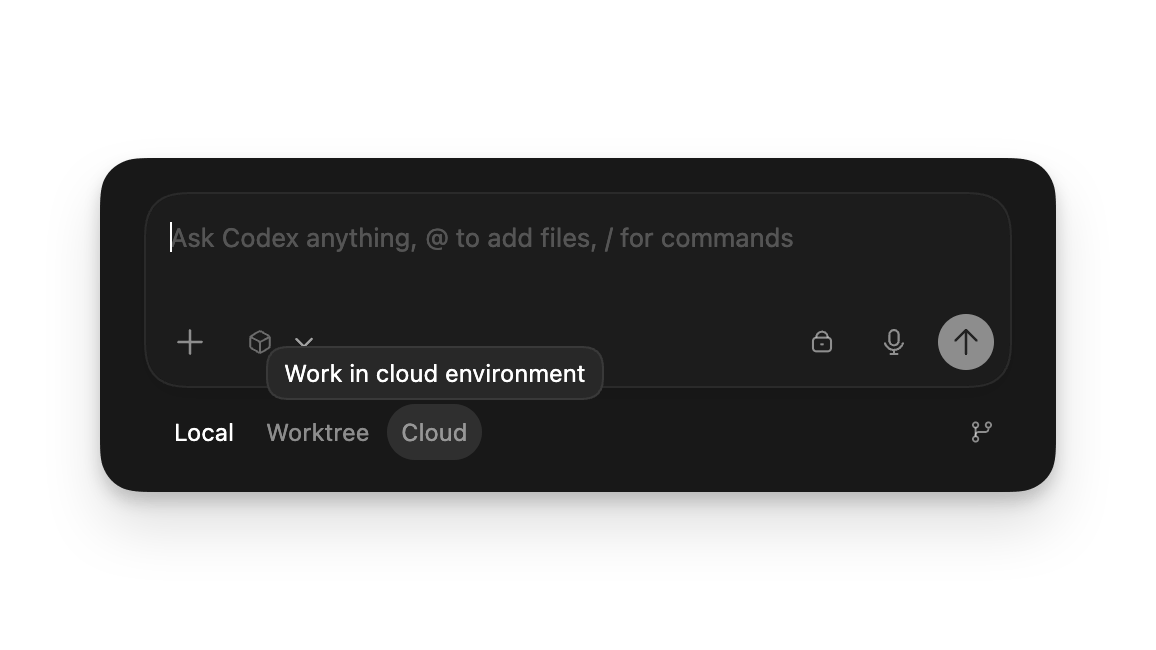
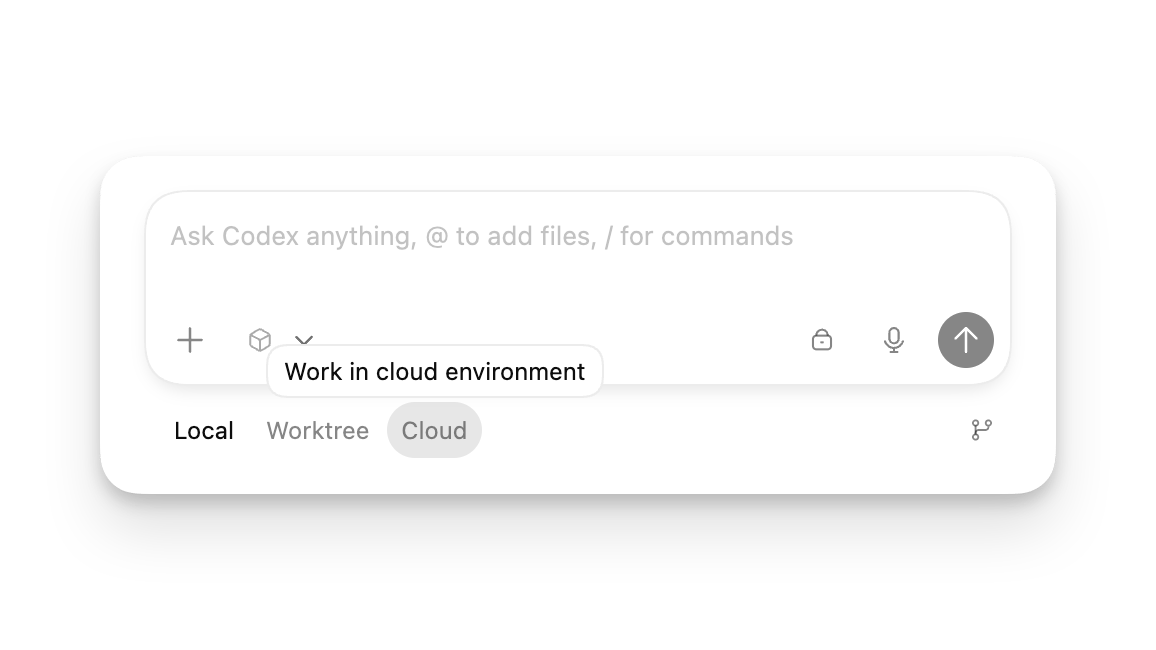
When starting a ZeroCode chat, choose where it runs:

* **Local**: work directly in your current project directory.
* **Worktree**: isolate changes in a Git worktree. [Learn more](/environments/git-worktrees).
* **Cloud**: run remotely in a configured cloud environment.

Both **Local** and **Worktree** chats run on your computer.

For the full glossary and concepts, explore the [concepts section](/prompting).
<Frame>
  <img className="block dark:hidden" src="https://mintcdn.com/zerotwo/B2FY-6wZG9TdQ3iS/images/codex/app/modes-light.webp?fit=max&auto=format&n=B2FY-6wZG9TdQ3iS&q=85&s=130b72022d8f835873c6cb427edceb11" alt="New chat composer with Local, Worktree, and Cloud environment options" width="1156" height="650" data-path="images/codex/app/modes-light.webp" />

  <img className="hidden dark:block" src="https://mintcdn.com/zerotwo/B2FY-6wZG9TdQ3iS/images/codex/app/modes-dark.webp?fit=max&auto=format&n=B2FY-6wZG9TdQ3iS&q=85&s=a9a092b9f67c901dc09f66f23e1e0b4a" alt="New chat composer with Local, Worktree, and Cloud environment options" width="1156" height="650" data-path="images/codex/app/modes-dark.webp" />
</Frame>